Migrating My Home Server from a Dell R720 to a Snail Interstellar + MacBook Pro
Migrating My Home Server from a Dell R720 to a Snail Interstellar + MacBook Pro
A few years ago I got into HomeLab and bought a second-hand Dell R720 rack server to use as a home server. But this server’s power consumption was too high—dual cpus idled at nearly 200w. After switching to low-power Xeons and installing only one cpu, it was still 100w+. Over a year the electricity bill added up, and in summer it got very hot. Later I used the ipmi tool and wrote some code in python to adjust the loud fans based on temperature, which made it much more comfortable, but in summer as the room temperature rose the fans still ramped up their speed dramatically. I always wanted to switch to a low-power server. I’d previously bought a Snail Interstellar, which uses a j1900 and has very low power consumption, so I migrated the home server from the Dell R720 to the Snail Interstellar.
Attempt
After bringing the Dell R720 home, I installed way too many vms and lxcs over time, tinkered with k8s, rancher, and so on. I upgraded the memory to 64G, and could have added more—after all, ddr3 ecc server memory is so cheap—but 64g is plenty and I can’t even use it all; more would just waste power.
Currently I’ve kept two lxcs. One runs bt and qt—I use qbittorrent for both, keeping the bt and pt services separate.
So far I’ve downloaded nearly 40t of data with qbittorrent:

qbittorrent is very stable. I used transmission before and found it unpleasant to use, with mediocre speed. This lxc absolutely has to be migrated.
The other lxc also runs ubuntu and hosts the entire media workflow:
jellyseerrfor searching for moviesprowlarrfor searchingindexers and submitting download taskssonarrfor submittingTV seriestasksradarrfor submittingmovietasksjellyfinfor playing videos
This workflow has become very stable and needs to be migrated. Since these don’t use much in the way of resources, leaving them on the R720 wastes too much.
Steps
- Install
pveon theSnail Interstellar; this is required. - Configure two
ubuntulxcs on theSnail Interstellar; this is required. - Use
rsyncto sync over all thedocker-composefiles and the mountedconfigfolders that the variousdockercontainers used. - On the
Snail, usemount -t nfsto mount the media resources and download directories. - Change the directories mapped in
docker-composeto the mounted directories. - Run
docker-compose up -dto start all services.
And that was it. Why mount via nfs instead of just moving the drives over directly? Because I didn’t know whether the Snail’s j1900 + 4G of memory could handle all these services. I tested first to confirm it could, and would migrate the drives at the end.
Problems Found
Insufficient Memory
Shortly after the Snail Interstellar boots, cpu usage jumps to 100%, but checking with top, it’s a process named kswapd. I googled it—it’s the swap space management process, which means 4g of memory isn’t enough.
By default swap is only 512M, so I planned to use swapon and similar commands to create a few GB of swap partition, only to find there wasn’t enough room on the root partition. Because I was just testing at first, I’d connected a 120G ssd to the built-in sata on the Snail to serve as the root partition, but a 120G ssd is too small—the lxc disks alone take up 80G. I haven’t gone out to buy a bigger sata ssd yet, so I’ll make do for now, and later switch directly to a big ssd using clonezilla.
First I moved the lxc disks over to the zpool of the mechanical drive array. Being a bit slow doesn’t really matter—these are all background services that don’t need very fast io reads and writes. Then I added 4G of space with swapon, and it’s much better now:
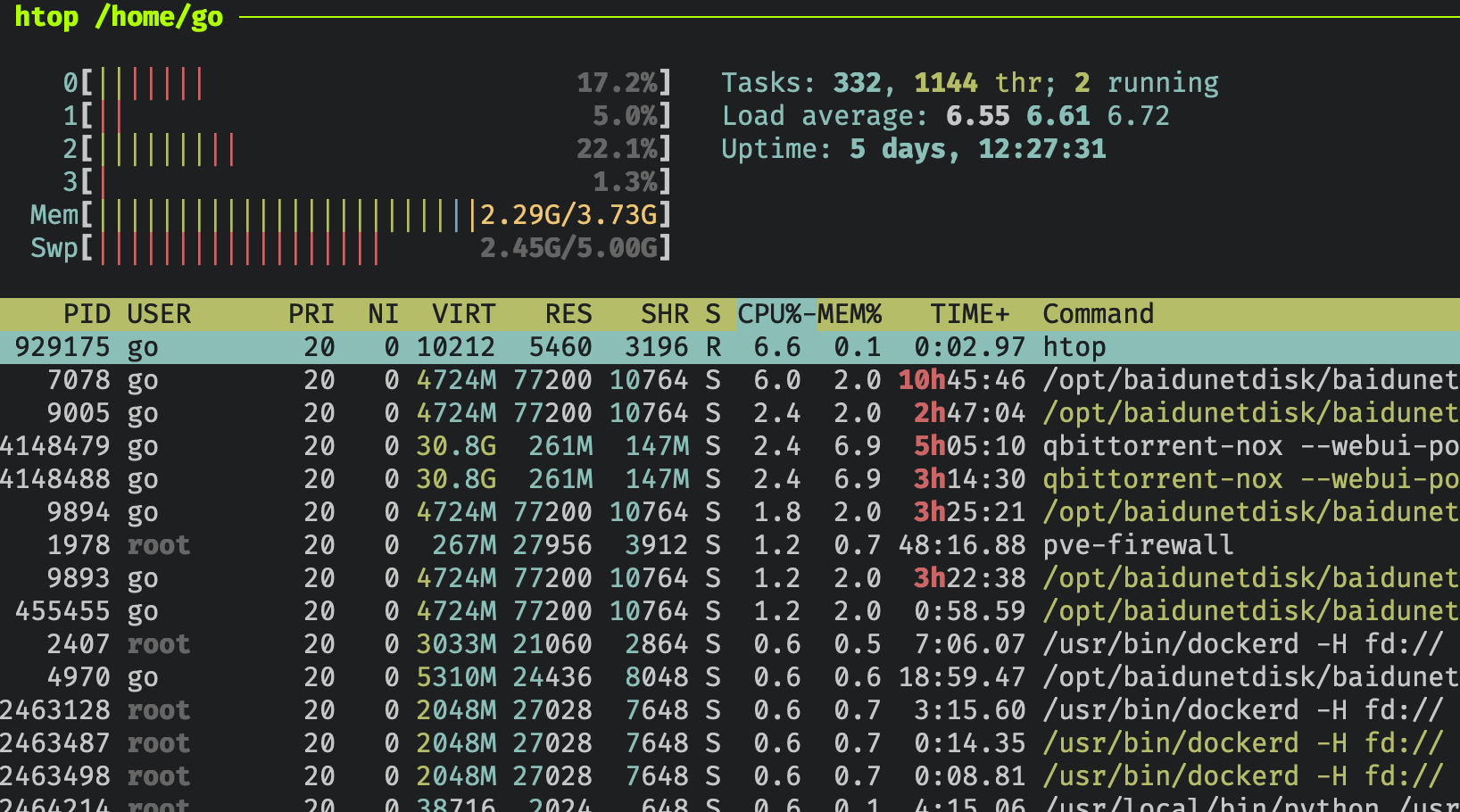 The biggest
cpu consumer is the baidupan service, which actually wasn’t downloading anything at the time of the screenshot.
As you can see, qbittorrent really does use a lot of memory, because there are too many tasks.
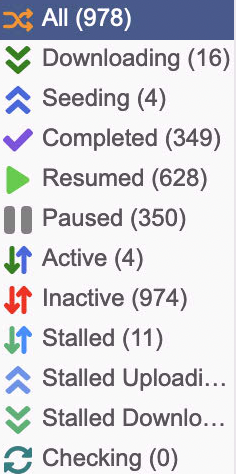 Hundreds of them—how could it not be a lot.
j1900 Decoding Capability
The j1900 is nearly 10 years old after all, and many decoders aren’t supported. Compare decoding with the n100:
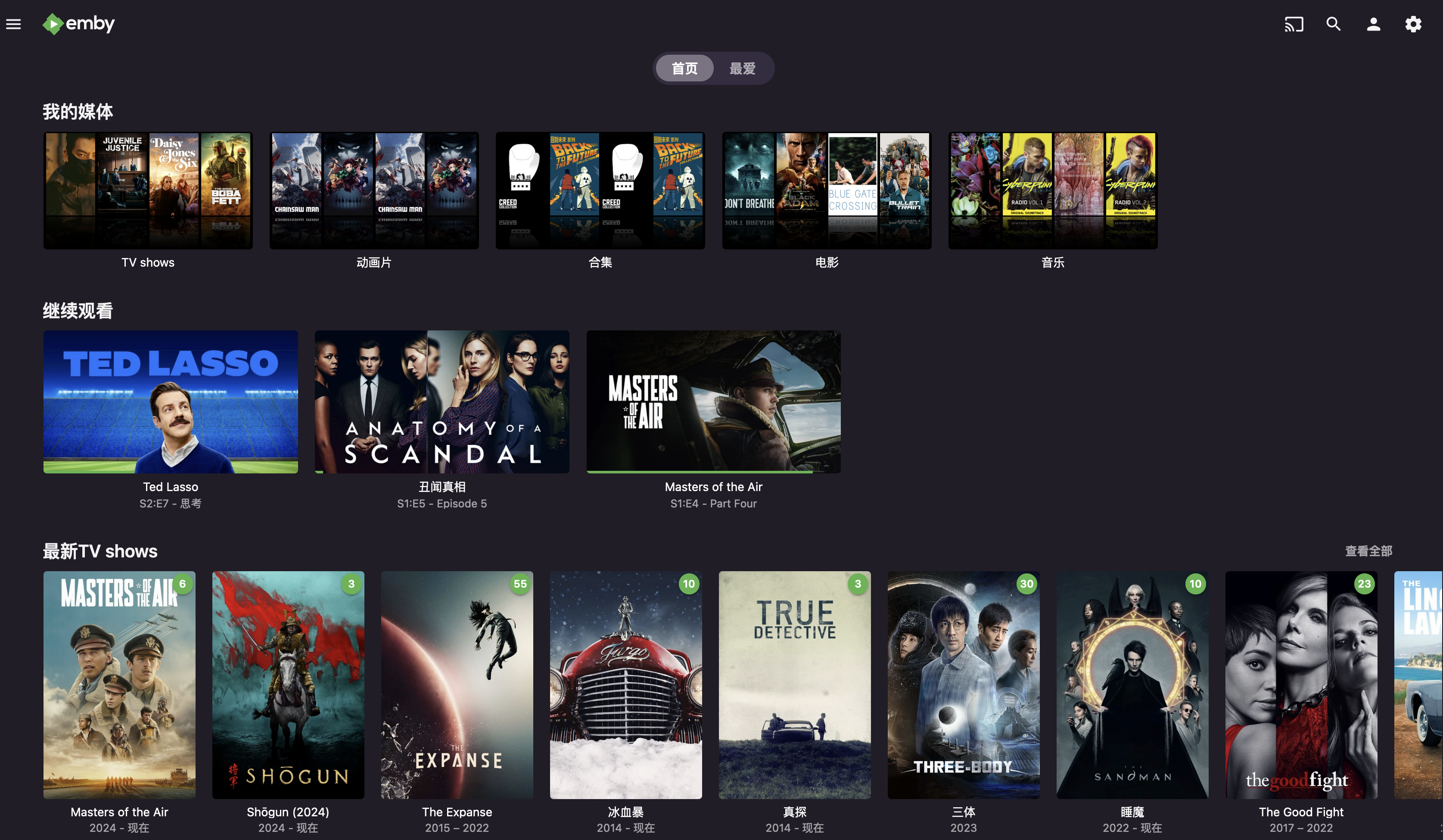
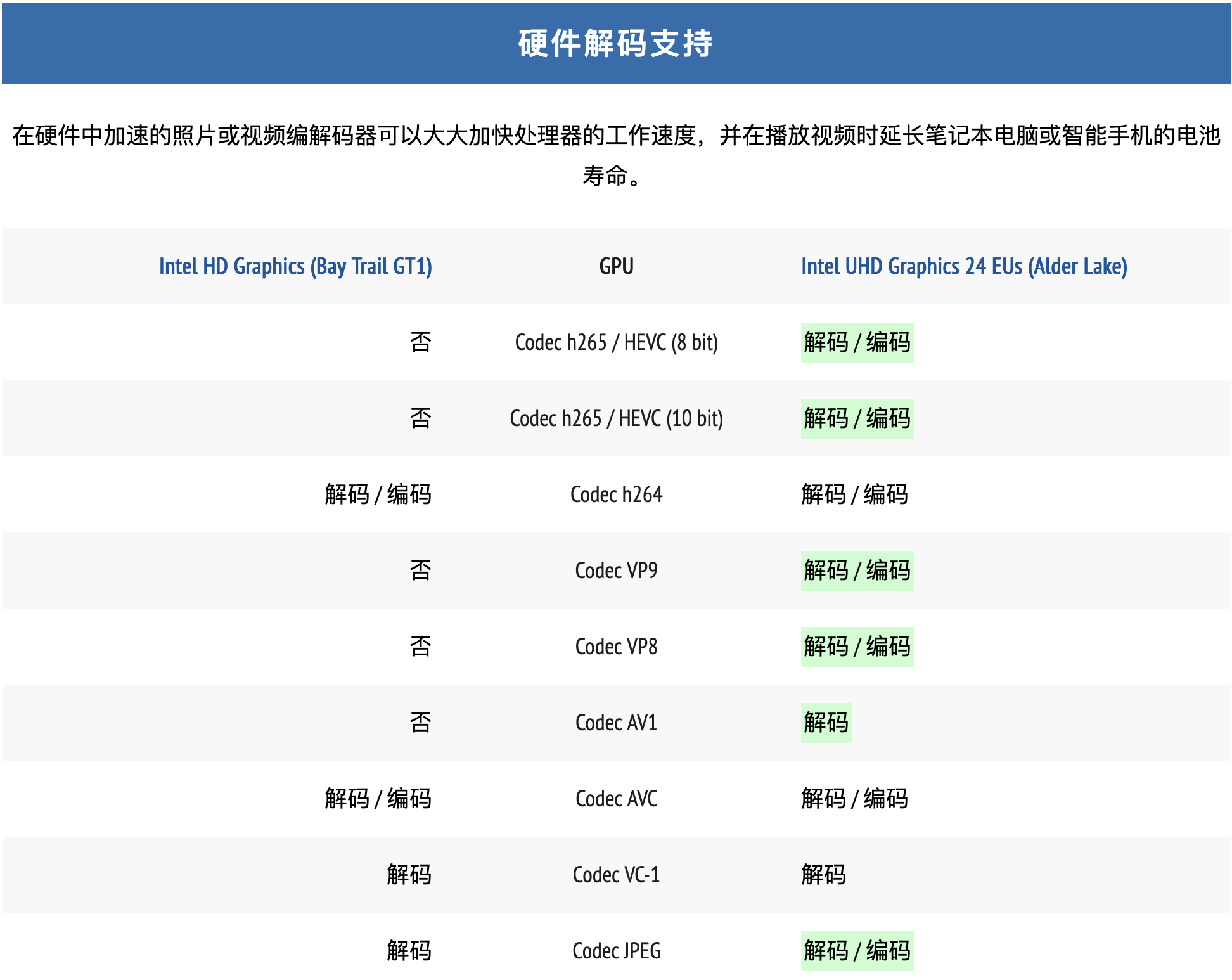 Especially since the videos downloaded now are all
4k HDR, mostly encoded in h.265, HEVC, none of which is supported, so transcoding can’t be done, and many clients using jellyfin can’t play 4k videos.
So I came up with an idea: isn’t my MacbookPro at home? The M1Max should be able to decode most of them:
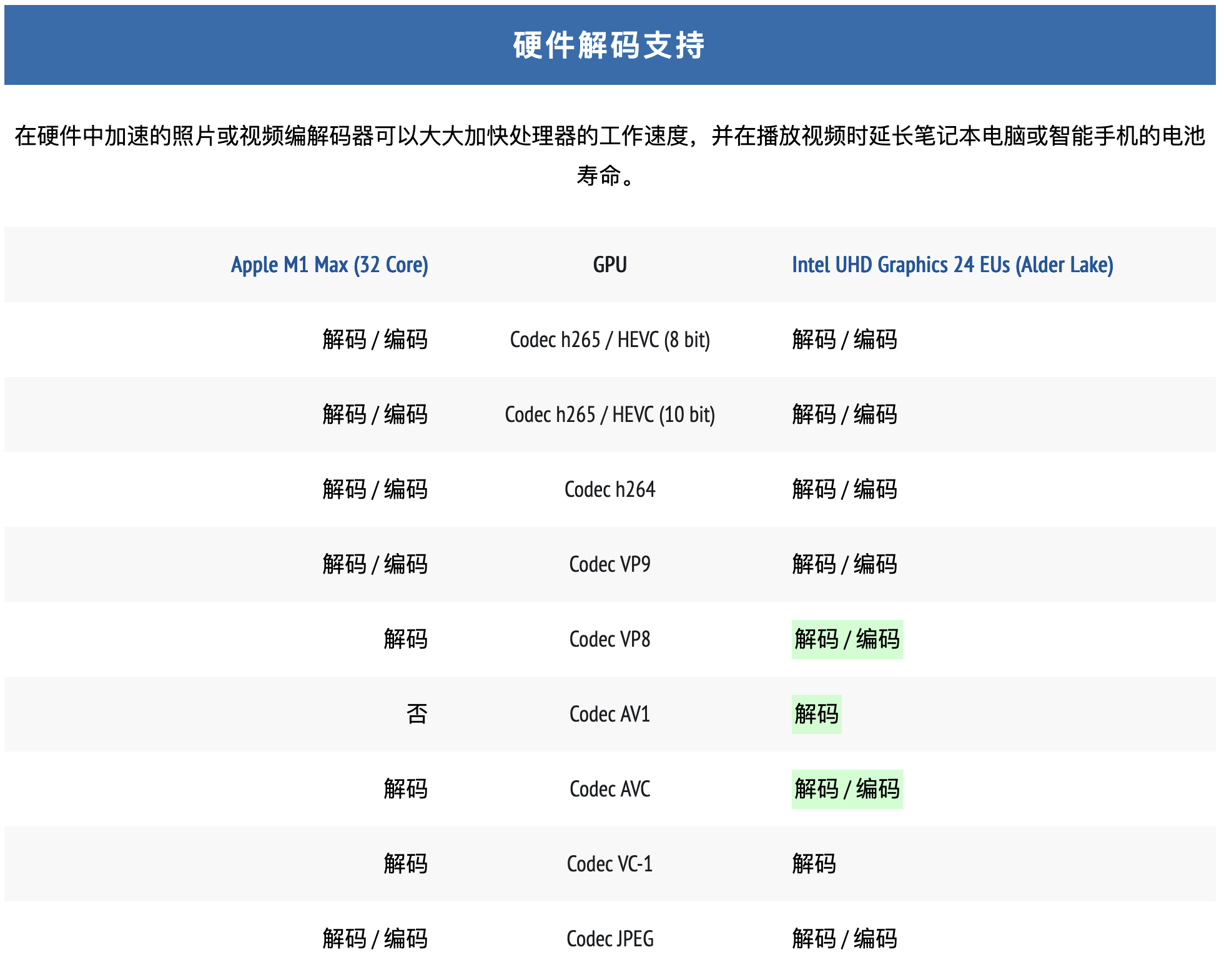 Except for
AV1, basically everything works, so I installed jellyfin on the MacbookPro. At this point two more problems came up:
- On the
m1 mac, after running for a whilejellyfin’s server side would freeze, for unknown reasons. I searchedissues ongithuband others had reported the same problem, but there was no solution. - For the
MacbookProI use anHP G2Thunderbolthubwith a wired network adapter connected. Whenever Iclose the lidorlock the screen, the wired adapter disconnects. I’d noticed this problem before when usingmac’sscreen sharing—connecting via the wired adapter’sipdoesn’t work; but if at that point I connect once via the wireless adapter’sip, the wired adapter’sipstarts working.
Solutions
- Switch to
emby; no problems. - It should be a sleep issue. Using
sudo pmset -g:
|
|
I used the command pmset -a disablesleep 1 to disable system sleep, which solved it perfectly. Also, the m1’s idle power consumption is really low—a world of difference from the R720.
Other Things to Migrate
icloud_photo_backup: used to back upicloudphotoscron: some scheduled tasks, such as renewing certificates withacme.cups: the printer service. I migrated it directly and configured it, but printing didn’t respond; in the end I restarted the printer and it worked.
After everything is done, move the drives over and remount them in /etc/fstab, and that’s it.